
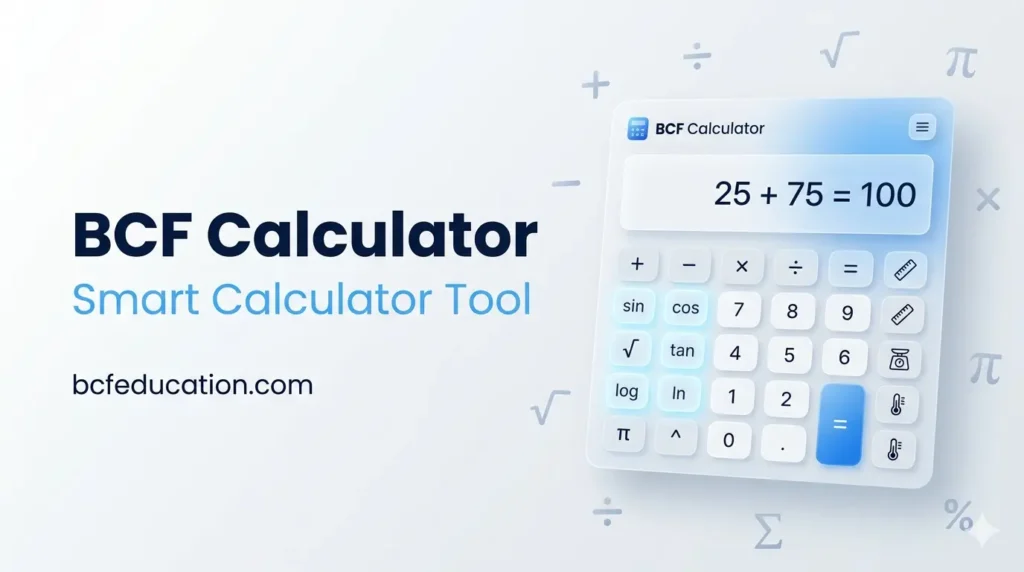
BCF Calculator – Free Online Scientific, Financial & Unit Converter Tool |. Use BCF Calculator – the free all-in-one online calculator by bcfeducation.com. Perform standard, scientific, financial, and unit conversion calculations instantly. Includes age calculator, EMI calculator, compound interest, trigonometry, logarithms, and 10+ unit converters. Works on all devices.
BCF Calculator by bcfeducation.com – Free online scientific, financial & unit converter tool. EMI, interest, age, trigonometry & more. Works on all devices.
BCF Calculator – Free Online Scientific, Financial & Unit Converter Tool |
BCF Calculator
bcfeducation.com — Smart Calculations Made Easy🎂 Age Calculator
📅 Date Difference Calculator
SECTION 2: COMPLETE USER GUIDE
2.1 Introduction
BCF Calculator is a free, all-in-one online calculator developed by bcfeducation.com. It is designed for students, teachers, professionals, and anyone who needs quick and accurate calculations. The tool runs entirely in your web browser — no downloads, no installation, and no registration required.
BCF Calculator includes five powerful modes accessible from the tab menu at the top:
- Standard Calculator — everyday arithmetic
- Scientific Calculator — advanced mathematical functions
- Unit Converter — 10 categories of unit conversions
- Financial Calculator — interest, EMI, and percentage tools
- Age & Date Calculator — age and date difference tools
2.2 Getting Started
How to Open and Navigate:
- Open the BCF Calculator page on your browser at bcfeducation.com.
- You will see five tabs at the top: Standard, Scientific, Converter, Financial, and Age & Date.
- Click or tap any tab to switch to that calculator mode.
- On mobile devices, the tabs wrap into two rows automatically for easy access.
- All calculations are instant — results appear as you type or press buttons.
2.3 Standard Calculator
The Standard Calculator is perfect for everyday arithmetic — adding, subtracting, multiplying, and dividing numbers quickly.
Available Buttons:
| AC | Clear All | Resets the calculator completely. Use this to start a new calculation. |
| +/− | Toggle Sign | Changes a positive number to negative and vice versa. |
| % | Percentage | Converts the current number to a percentage (divides by 100). |
| ÷ × − + | Operators | Division, multiplication, subtraction, addition. |
| = | Equals | Calculates and shows the final result. |
| . | Decimal Point | Adds a decimal point to enter fractional numbers. |
| MC | Memory Clear | Clears the memory storage. |
| MR | Memory Recall | Recalls the number stored in memory. |
| M+ | Memory Add | Adds the current number to memory. |
| M− | Memory Subtract | Subtracts the current number from memory. |
Keyboard Shortcuts:
- Number keys (0-9): Enter digits
- + – * /: Enter operators
- Enter or =: Calculate result
- Backspace: Delete last digit
- Escape: Clear all (AC)
Calculation History:
The Standard Calculator keeps a history of your last 20 calculations. Click the ‘Calculation History’ bar at the bottom to expand it. Click any history entry to recall that result. Use the ‘Clear’ button to reset the history.
2.4 Scientific Calculator
The Scientific Calculator is built for advanced mathematics including trigonometry, logarithms, powers, roots, and more. It is ideal for students in Class 9, 10, FSc, BS, and university-level mathematics.
Angle Mode (DEG / RAD):
Use the DEG / RAD toggle buttons at the top to switch between Degrees and Radians. This affects all trigonometric calculations (sin, cos, tan and their inverses).
Trigonometric Functions:
- sin / cos / tan: Calculate sine, cosine, and tangent of an angle.
- sin⁻¹ / cos⁻¹ / tan⁻¹: Calculate inverse trigonometric functions (arcsin, arccos, arctan).
Logarithmic & Exponential Functions:
- log: Common logarithm (base 10)
- ln: Natural logarithm (base e)
- log₂: Logarithm base 2
- EXP: Enter a number in scientific notation format (e.g., 2.5e+6)
Powers & Roots:
- x²: Square the current number
- x³: Cube the current number
- xʸ: Raise x to the power of y (enter x, press xʸ, enter y, press =)
- √x: Square root of the current number
- ∛x: Cube root of the current number
Special Functions:
- n!: Factorial (e.g., 5! = 120)
- |x|: Absolute value — returns the positive version of any number
- π: Inserts the value of pi (3.1415926536…)
- e: Inserts Euler’s number (2.7182818285…)
- mod: Modulus — remainder after division
- ( ): Parentheses for grouping expressions
Example Calculations:
- To find sin(30°): Make sure DEG is selected, type 30, press sin. Result: 0.5
- To find √144: Type 144, press √x. Result: 12
- To find 2⁵: Type 2, press xʸ, type 5, press =. Result: 32
- To find log(1000): Type 1000, press log. Result: 3
2.5 Unit Converter
The Unit Converter supports 10 categories of conversions with dozens of units. It converts instantly as you type.
How to Use:
- Select a category from the dropdown (e.g., Length, Temperature, Weight).
- Choose the ‘From’ unit in the left dropdown.
- Choose the ‘To’ unit in the right dropdown.
- Type the value you want to convert in the left input field.
- The result appears instantly in the right field and in the blue info bar below.
- Use the swap button (⇄) in the middle to quickly reverse the conversion direction.
Available Conversion Categories:
| Length | Kilometer, Meter, Centimeter, Millimeter, Mile, Yard, Foot, Inch, Nautical Mile |
| Weight / Mass | Kilogram, Gram, Milligram, Metric Ton, Pound, Ounce, Stone |
| Temperature | Celsius, Fahrenheit, Kelvin |
| Area | Square Meter, Square Kilometer, Square Mile, Square Foot, Acre, Hectare |
| Volume | Liter, Milliliter, Gallon (US/UK), Quart, Pint, Cup, Fluid Ounce, Tablespoon, Teaspoon |
| Speed | Meter/Second, Kilometer/Hour, Mile/Hour, Knot, Foot/Second, Mach |
| Time | Second, Minute, Hour, Day, Week, Month, Year |
| Data Storage | Bit, Byte, Kilobyte, Megabyte, Gigabyte, Terabyte, Petabyte |
| Energy | Joule, Kilojoule, Calorie, Kilocalorie, Watt-Hour, Kilowatt-Hour, BTU, Electron Volt |
| Pressure | Pascal, Kilopascal, Bar, PSI, ATM, Torr, mmHg |
2.6 Financial Calculator
The Financial Calculator has four sub-tools accessible via the tab buttons inside the panel.
2.6.1 Simple Interest
Formula: Interest = (Principal × Rate × Time) / 100
How to Use:
- Enter the Principal Amount (starting money).
- Enter the Annual Rate of Interest (in %).
- Enter the Time and select the unit: Years, Months, or Days.
- Press ‘Calculate Simple Interest’ to see: Interest earned, Total Amount, Principal, and Time in years.
2.6.2 Compound Interest
Formula: A = P(1 + r/n)^(nt)
How to Use:
- Enter Principal Amount.
- Enter Annual Interest Rate (in %).
- Enter Time in Years.
- Select compounding frequency: Annually, Semi-Annually, Quarterly, Monthly, or Daily.
- Press ‘Calculate Compound Interest’ to see: Total Amount, Compound Interest, Principal, and Effective Rate.
2.6.3 EMI / Loan Calculator
Formula: EMI = [P × r × (1+r)^n] / [(1+r)^n − 1]
How to Use:
- Enter the Loan Amount (total borrowed amount).
- Enter the Annual Interest Rate (in %).
- Enter the Loan Tenure in Months (e.g., 60 for a 5-year loan).
- Press ‘Calculate EMI’ to see: Monthly EMI, Total Payment over the full term, Total Interest paid, and Principal amount.
2.6.4 Percentage Calculator
Three percentage tools are available on a single page:
- What is X% of Y? → Enter X and Y, press Calculate. Example: What is 15% of 200? Answer: 30.
- X is what % of Y? → Enter X and Y to find what percentage X is of Y. Example: 30 is what % of 200? Answer: 15%.
- Percentage Change (from A to B) → Enter starting value A and ending value B to calculate % increase or decrease.
2.7 Age & Date Calculator
2.7.1 Age Calculator
Calculates your exact age from your date of birth.
How to Use:
- Enter your Date of Birth using the date picker.
- The ‘Calculate Age As Of’ field is auto-set to today’s date. You can change it to calculate age on any specific date.
- Press ‘Calculate Age’ to see your age in: Years, Months, Days, and Total Days lived.
2.7.2 Date Difference Calculator
Calculates the difference between any two dates.
How to Use:
- Enter the Start Date.
- Enter the End Date.
- Press ‘Calculate Difference’ to see the difference in: Total Days, Weeks and remaining Days, Approximate Months, and Approximate Years.
2.8 Tips & Best Practices
- Use the Copy button on the calculator display to quickly copy results to your clipboard.
- Click any item in the Calculation History to reuse that result in a new calculation.
- On scientific calculator, always check DEG/RAD mode before doing trigonometry.
- For financial calculations, always double-check that your interest rate is entered as a percentage (e.g., enter 8 for 8%, not 0.08).
- The EMI calculator uses monthly tenure. Convert years to months first (e.g., 5 years = 60 months).
- For unit conversion, use the swap button to quickly reverse conversions without re-entering values.
- The calculator is keyboard-friendly on desktop. Use number keys, operators, Enter, and Backspace for fast input.
2.9 Frequently Asked Questions
| Q: Is BCF Calculator free to use? |
| A: Yes, BCF Calculator is completely free. No sign-up, no subscription, and no hidden charges. |
| Q: Does it work on mobile phones? |
| A: Yes. BCF Calculator is fully responsive and works on all smartphones, tablets, and desktop computers. |
| Q: Do I need to install anything? |
| A: No installation required. It works directly in any modern web browser. |
| Q: Is the data I enter stored anywhere? |
| A: No. All calculations happen locally in your browser. No data is sent to any server. |
| Q: How accurate are the calculations? |
| A: BCF Calculator uses JavaScript’s built-in Math library and provides precision up to 12 significant figures. |
| Q: Can I use it offline? |
| A: Once the page is loaded, most functions work offline. However, you need an internet connection to initially load the page. |
| Q: How do I report a problem? |
| A: Contact bcfeducation.com through the website’s contact page to report any bugs or suggestions. |

